

Camping – The 52-Week Art Project 2026

This is my digital design for week 38 of The 52-Week Art Project: Camping. I’m sorry for the delay in posting the last two prompts for the summer season. I was enjoying the digital art summit, but having multiple lessons per day for four days in a row wiped me out. I loved it, I learned so much and got so inspired, but my body crashed out and I’m only starting to recover from it now.
I have back-dated this post so that it appears in chronological order in the blog archives. My aim was to post my creations at the start of each week, by Sunday evening or Monday morning. I was creating my pieces for each prompt one week in advance, but this has been very difficult to keep up with in my condition, so things will be changing with the next batch of prompts. Announcement coming soon. That said, the gallery is always available, so you can browse or, if you’re participating, upload your creations, anytime.

Thank you for supporting my endeavors at ChronicallyHopeful.com. This page contains affiliate links. Meaning, if you were to make a purchase after clicking on one of my links, I would make a small commission, at no extra cost to you. Every tiny bit helps, so I’m very grateful for your support!
Wk38 Prompt: Camping
This prompt fell on a week when I was very busy with the Digital/Procreate Art Summit by TwoTap. I was initially unsure what I wanted to do for the prompt, but after attending so many online courses during the summit, I was way more confident in what I wanted to do.
This entire piece was done in Procreate on my iPad. I loved working on it, although making digital art seems to take much longer for me than traditional mediums. Maybe it’s just the lack of familiarity and practice. Hopefully I’ll become better at it the more I use the techniques.
The idea that came to mind was to use some of the newly learned techniques to digitally paint a scene of camping in tents under the stars, in the hills, with lots of trees all around and grasses with wildflowers in the foreground. I also wanted to include fire and the moon which would let me play with lighting and shadows too.
Digital Painting On The iPad
I sketched the scene on the iPad, with layers in mind. Starting from the back and working towards the front, there’s the night sky, the back hill, middle hill, front hill and then the foreground and frame.

I sketched the general layout of everything on one single layer in the Procreate app. Then started working on the sky and the hills. I liked the idea of a gigantic moon which would create lots of glowing light around the trees and tents and cast interesting shadows over the hills.
As always, I enjoyed playing with various brushes to create textures and shading or highlights.


To differentiate the overlapping hills, I chose different shades of green, each hill being on a separate layer in Procreate. This is helpful for layering items and also in case I want to change colours or textures later on, having things seperate makes it easier to edit each part independently.


Next I started with the trees. I actually made some custom tree brushes for this. One set of tree silhouettes and a multicolour foliage brush that adjusts the colour and darkness or brightness according to how you hold your Apple Pencil or how hard you press. It was a whole side quest, but I enjoyed the process.
I was able to stamp the various tree shapes in a darker green and then go back in with the multicolour foliage brush to paint the foliage manually over the tree silhouettes I’d stamped. Again, I started at the back and worked my way forward. I also added some tents to each layer as I worked my way forward.


The hills were looking very plain and definitely needed some texture and shading. I found an interesting brush that created this lovely texture on the hills. They almost look velvety. You can see on the left is the texture without shading, on the right with shading and highlights it looks so much better.


Finally I reached the foreground where I painted the last of the trees and a lovely layer of long grasses. The final touches were the red poppies up front and the fire. This also gave me the opportunity to play with lighting and shadows. Creating a warm glow on the nearby trees and tent.
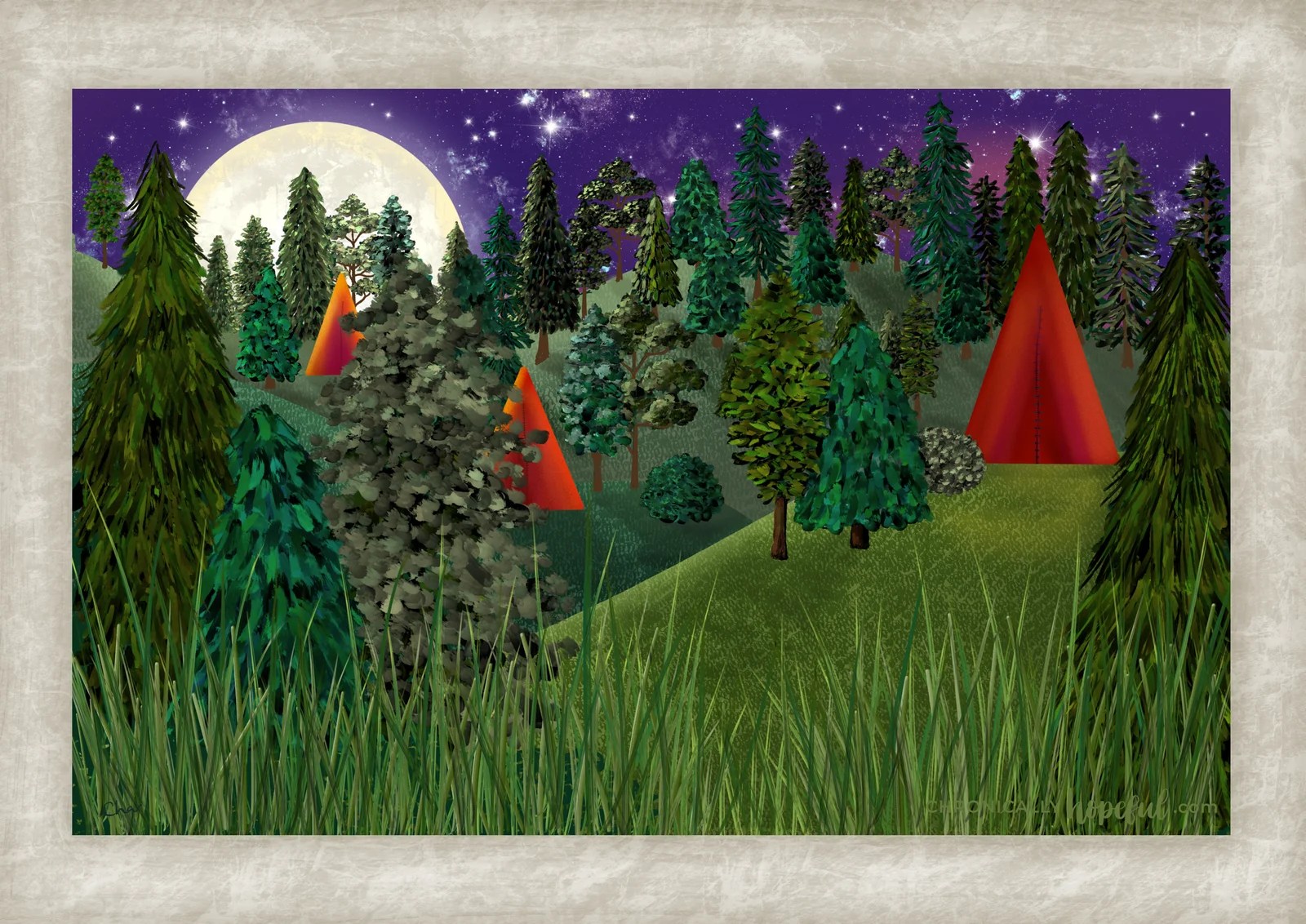
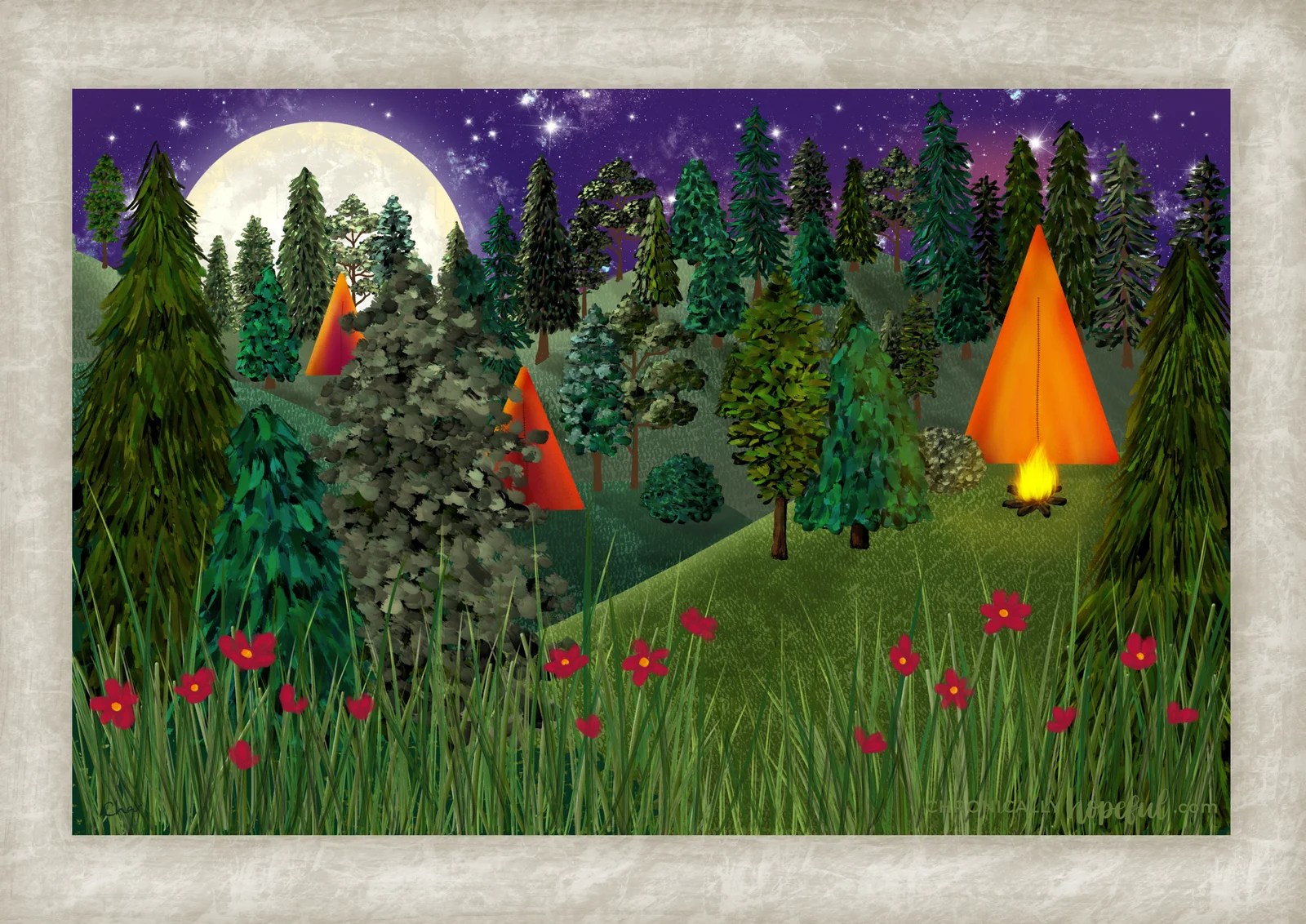
The Finished Digital Painting
I quite like how this turned out and how much I learned from making this piece. Looking forward to making more digital art.

Next Prompt, Wk39: Fruit
It’s the final prompt for the summer batch, after that it’s cozy season! I’m running super late with this prompt, but can’t wait to paint again. It’s been way too long!
Would You Like To Participate?

If you’d like to join us, you can hop in anytime you like. It’s a low stress project, so you can go at your own pace.
Being chronically ill means sometimes I can make 3 pieces of art in a week and other times I will struggle to make one. There’s no pressure here. Life happens.
You can go back and do the previous prompts too, if you feel fomo. I know some people don’t like the feeling of having missed something in a series like this. It’s all good. Participate with whichever prompts inspire you.
The 52-Week Art Project is just a fun way to:
- stay motivated – with a weekly schedule
- have some direction – with prompts
- have freedom – with which mediums to use and how to interpret the prompts
- enjoy community and accountability – with the sharing online aspect
So, I hope you’ll join us in this creative adventure!
Check out the gallery below to see all the creations uploaded so far or to upload your own to the gallery. Happy creating!
The #CH52art Gallery For 2026

* If you are struggling to upload your image, feel free to send it to me and I’ll upload it for you. Please let me know in a comment below if you have emailed an image for the gallery.
* If you add a link to a social media post or online storage service where your creation has been uploaded, the widget should automatically load the photo from the URL you share.
That’s it for this week.
Let me know what you think of my creations and if you will be joining in.

Blog Parties & Link-ups where I’m sharing this post. Click here to see my link-up calendar and find new blogs to enjoy!
Sign Up For Post Notifications
Choose which topics to be notified on, so you’ll only get emails you’re interested in.


